Snippets
Save a card, or a run of cards and text, as a snippet and insert it into any post in two keystrokes.
Who can do this: Anyone who can write posts can insert snippets. Only Owners, Administrators and Editors can save or delete them.
A snippet is a piece of a post you reuse: the box at the end of every issue asking readers to subscribe, a sponsor message, a standard correction note, a “how to get in touch” section. Save it once and it’s in the card menu for everyone on your staff.
Save a snippet
- In any post, select what you want to save. Click a single card to select it, or drag across text and cards to select several.
- In the toolbar that appears, select Save as snippet (the folded-note icon on the right).
- Type a name, such as
Subscribe box, and press Enter or select Create “…”.
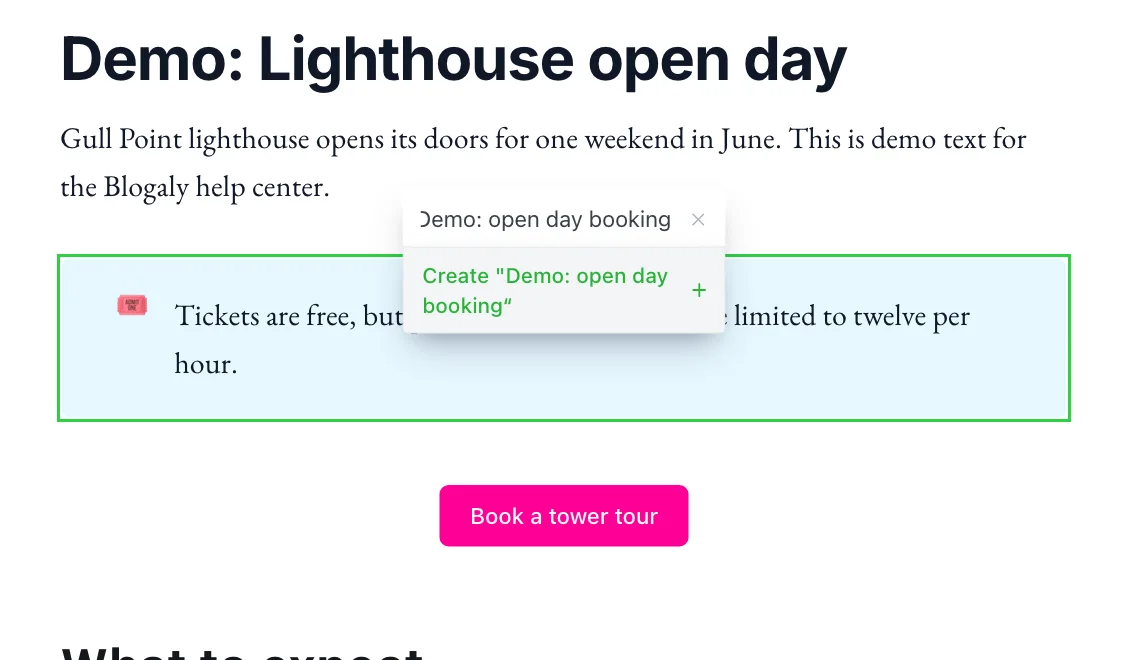
A message confirms the snippet was saved. Nothing in your post changes.
Insert a snippet
- Click into an empty line in any post or page.
- Type
/and the start of the snippet’s name, then press Enter. Or select the + button and scroll to Snippets at the bottom of the menu.
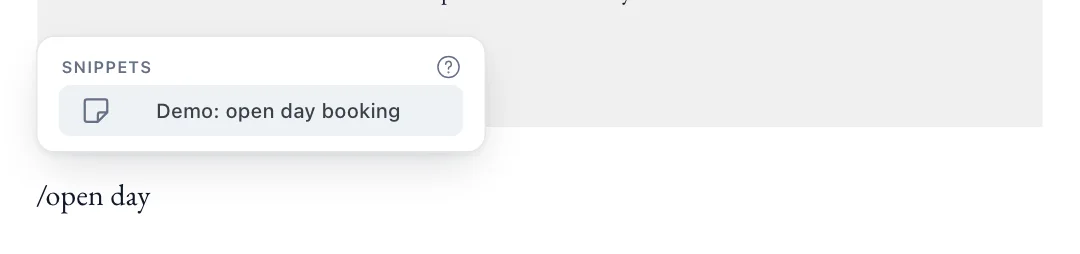
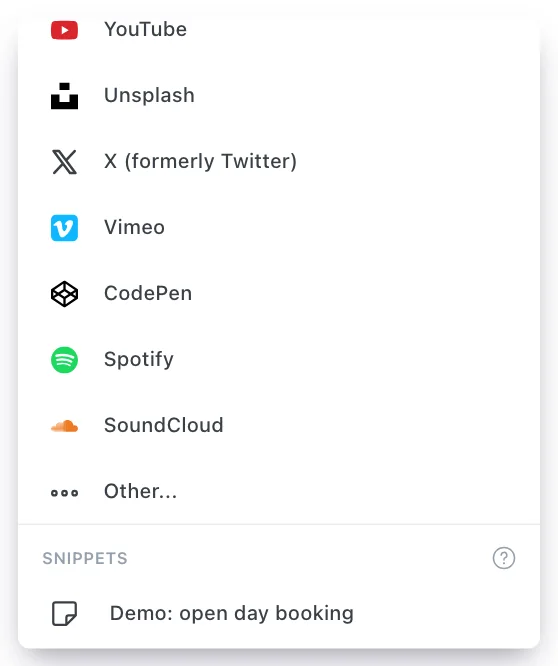
The snippet goes in as ordinary cards and text. Change it as much as you like: your edits only affect this post.
Update a snippet
Make the new version in a post, select it, choose Save as snippet and pick the existing name from the list. Confirm Update this snippet? to overwrite it. Posts that already use the old version stay as they are.
Delete a snippet
Open the card menu, hover over the snippet under Snippets and select the bin icon, then confirm. Deleting is permanent and removes the snippet for all staff, but it doesn’t change any posts where you’ve already used it.
Good to know
- Snippets are shared across your whole site. Everyone on your staff sees the same list.
- Authors and Contributors can insert snippets but can’t save or delete them. See staff roles.
- A snippet is a copy, not a link. Updating a snippet never changes posts that are already written, so it’s safe to edit.
- Give snippets clear names. The card menu searches by name, so
Sponsor: Quay Street Bakeryis easier to find thanbox 2.
Last checked against the product on 7 November 2026.
Related
Still stuck?
Tell us what you were trying to do and what you saw, and we’ll help you sort it out.
Contact us