Title, description, language, time zone
Set your publication’s name, description, time zone, language, search and social details, and choose whether the site is public or private.
Who can do this: Administrators and the site owner.
The basics of your publication live in Settings → General. Open it from Settings at the bottom of the sidebar in your site’s admin. Each section has its own Edit button (or edits in place) and its own Save, so you can change one thing without touching the rest.
Title and description
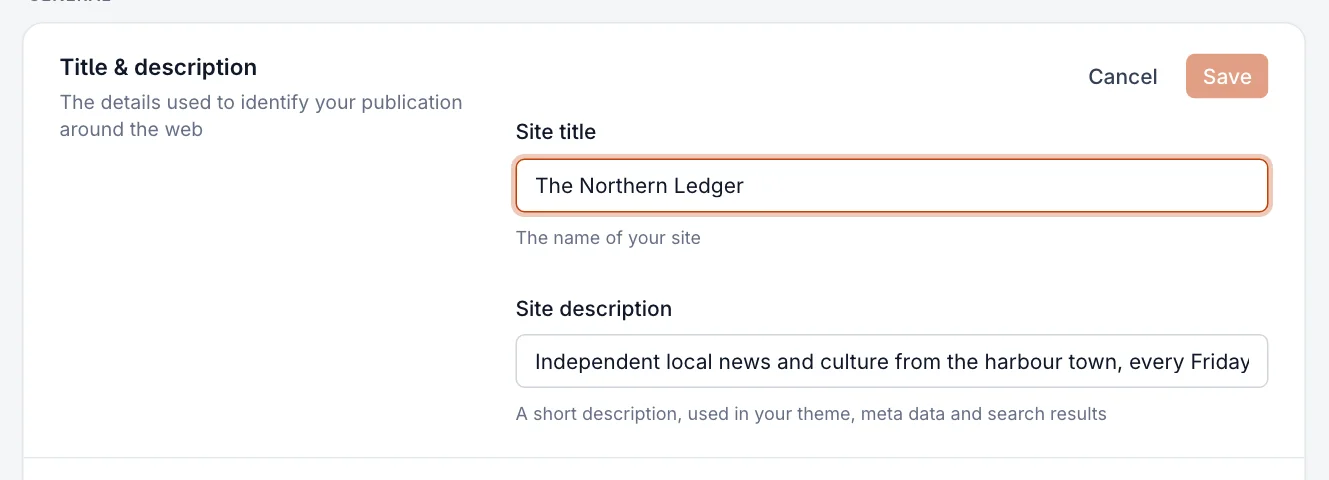
- In Title & description, select Edit.
- Type your publication’s name in Site title. It can be up to 63 characters.
- Write a sentence about what you publish in Site description (up to 200 characters). Your theme, search results and link previews use it.
- Select Save.
Time zone
Site timezone sets the clock for your publication: the dates shown on posts, the time a scheduled post goes out, and the time a scheduled newsletter is sent. Pick the city closest to you from the list. The hint under the field shows the current time in the zone you chose, so you can check it at a glance.

Publication language
Site language tells browsers, search engines and screen readers which language your site is written in. Where translations exist, it also changes the words readers see around your writing: dates, buttons like Subscribe, the sign-up pop-up and member emails. Your admin stays in English.
- In Publication Language, open the Site language list.
- Choose your language. Start typing to filter the list.
- If yours isn’t listed, choose Other... and enter a language code such as
pt-BRorsr-Cyrl. - Select Save.

- Your theme has to include translations for its own words (like “Read more”) to change with the setting. The free themes include many languages.
- The setting doesn’t translate your posts. Write them in the language you choose here.
Meta data: search and social cards
Meta data controls how your home page looks when it turns up in search results or is shared on social networks. Leave a field empty and your site title and description are used instead.
- Search: a Meta title (about 70 characters) and Meta description (about 156 characters) for search engines, with a live preview.
- X card and Facebook card: an image, title and description used when someone shares your home page. A wide image around 1200 × 630 pixels works well on both.
- Enable structured data for LLMs and AI search engines: on by default. It publishes a plain-text summary of your public posts (
/llms.txt) that AI tools can read. Turn it off if you’d rather they didn’t. It is always off while your site is private.
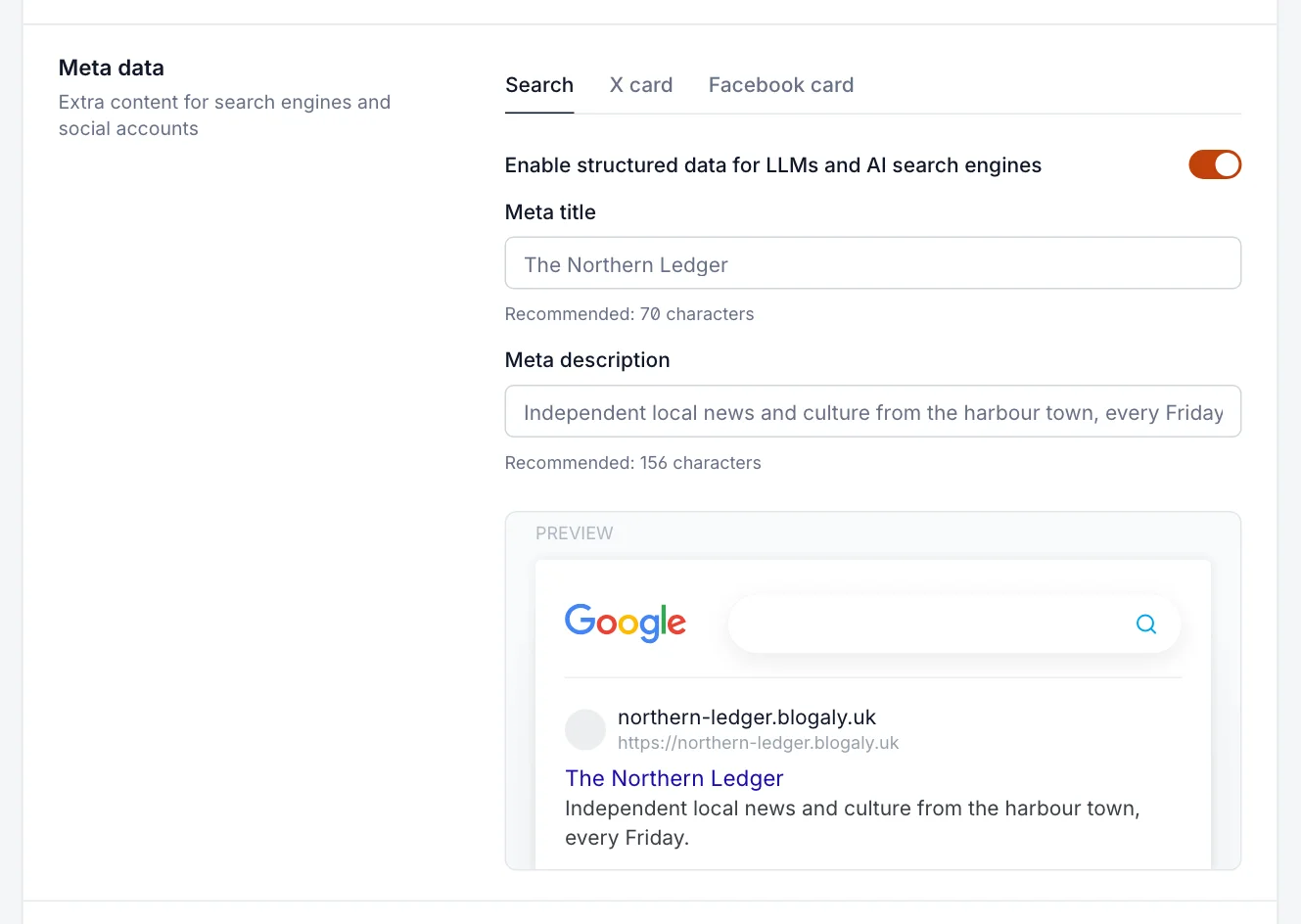
These are site-wide defaults. Each post can override them; see SEO, social cards and search previews.
Social accounts
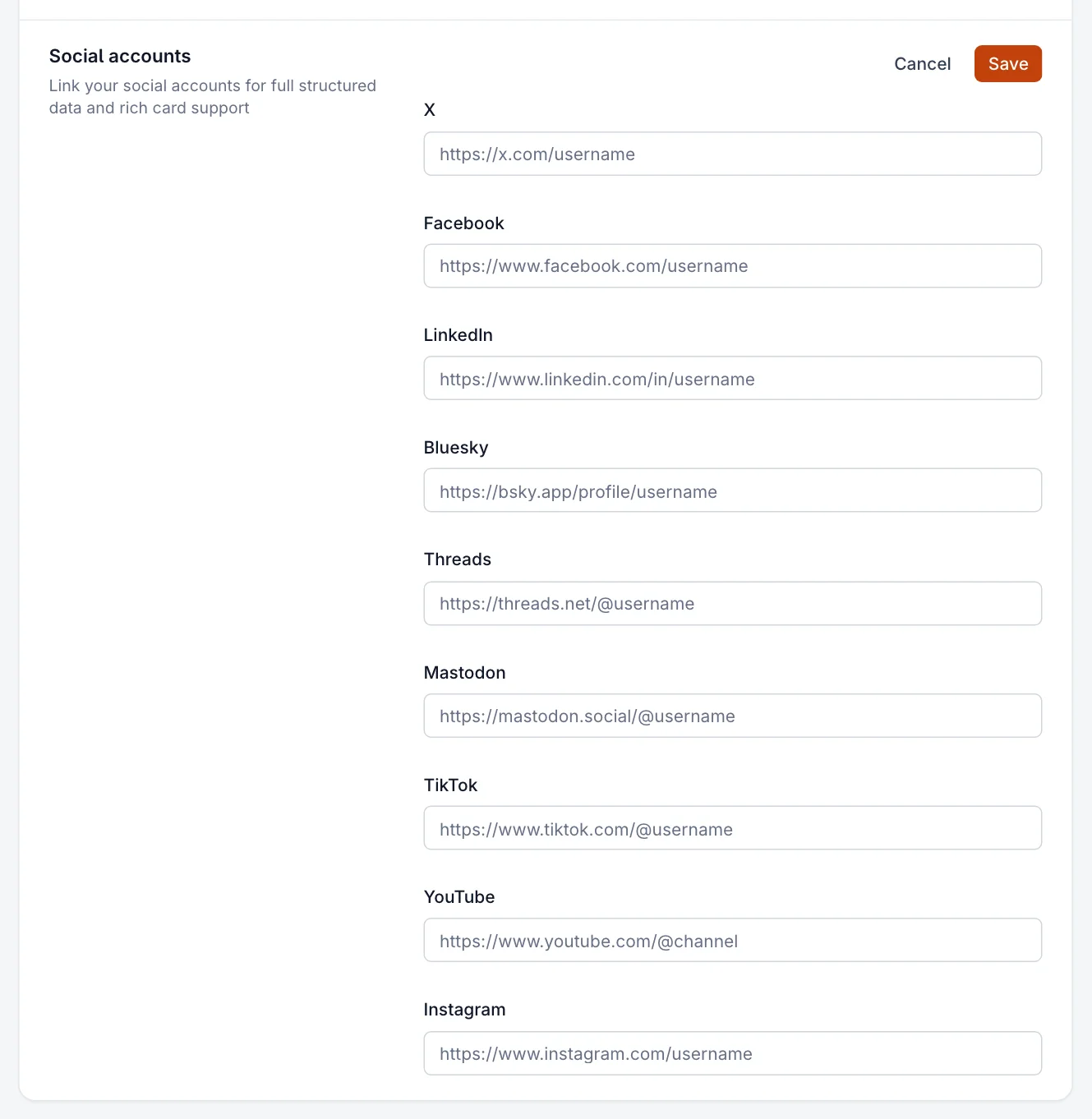
Add the links to your publication’s profiles on X, Facebook, LinkedIn, Bluesky, Threads, Mastodon, TikTok, YouTube and Instagram. Many themes show them as icons, and search engines use them to connect your site to your profiles. Paste the full profile address, for example https://bsky.app/profile/yourname, and select Save.
Make your site private
While you’re getting ready, or if your publication is only for a small group, you can hide the whole site behind an access code. Visitors see a simple page asking for the code; search engines see nothing.
- Go to Settings → Membership → Access.
- Set Who should be able to browse your site? to Private.
- An access code is created for you. Type your own if you prefer, or use the refresh button for a new one.
- Select Save, then share the code with the people who should see the site.
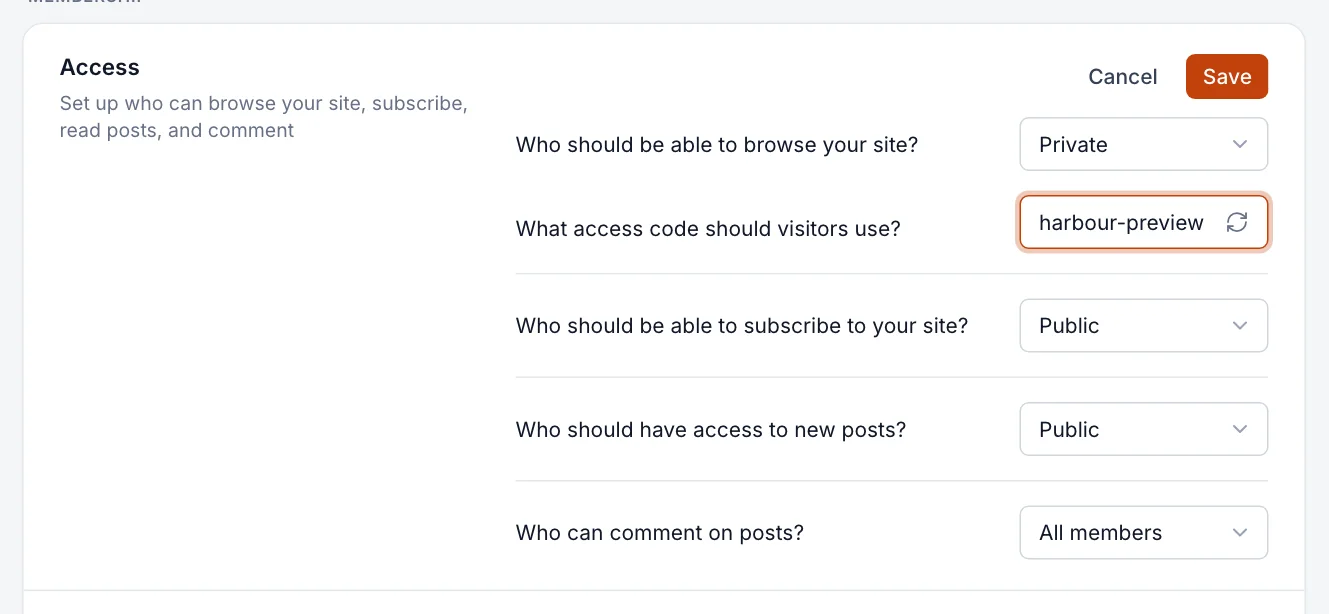
- Anyone with the code can read the site. Change the code to shut out people who had the old one.
- Once saved, a private RSS feed link appears under the code, for readers who use a feed reader.
- Newsletters still go out to members while the site is private.
Good to know
- Staff are managed from Settings → General → Staff. See invite staff and choose their roles.
- Changes to the title, description and meta data can take a little while to show in search results and in link previews that social networks have already cached.
- Only Administrators and the owner can change these settings. Editors, Authors and Contributors don’t see them.
- Your site’s address is managed in your dashboard, not here. See connect your own domain.
Last checked against the product on 7 November 2026.
Related
Still stuck?
Tell us what you were trying to do and what you saw, and we’ll help you sort it out.
Contact us