Why is my site paused?
A site is paused when its subscription isn’t paid. Nothing is deleted. Here’s how to bring it back.
Who can do this: The account owner, in the dashboard at dash.blogaly.com.
We pause a site when its subscription stops being paid: the free trial ended without a payment method, payments failed and Stripe stopped retrying, or the subscription was cancelled. Pausing takes the site offline. It doesn’t delete anything. Posts, pages, members, newsletters, images and settings are all kept.
While a site is paused
- Visitors get an error page instead of your site, at your blogaly.uk address and your own domain.
- You can’t open your site’s admin, so you can’t write, publish or export.
- Nothing is published or sent: no newsletters go out.
- Readers can’t sign up or log in.
- The Custom domain link is hidden until the site is live again. Your domain stays connected.
Find your status
Log in at dash.blogaly.com. Next to your site you’ll see one of these:
| Dashboard says | What happened | What to do |
|---|---|---|
| paused — add a payment method under Manage billing, or contact us | Payments didn’t go through and Stripe has stopped retrying. | Select Manage billing, update your card and pay the outstanding invoice. |
| paused — your subscription ended; restart it to bring the site back | The trial ended without a card, or the subscription was cancelled. | Select Restart my subscription and pay at checkout. |
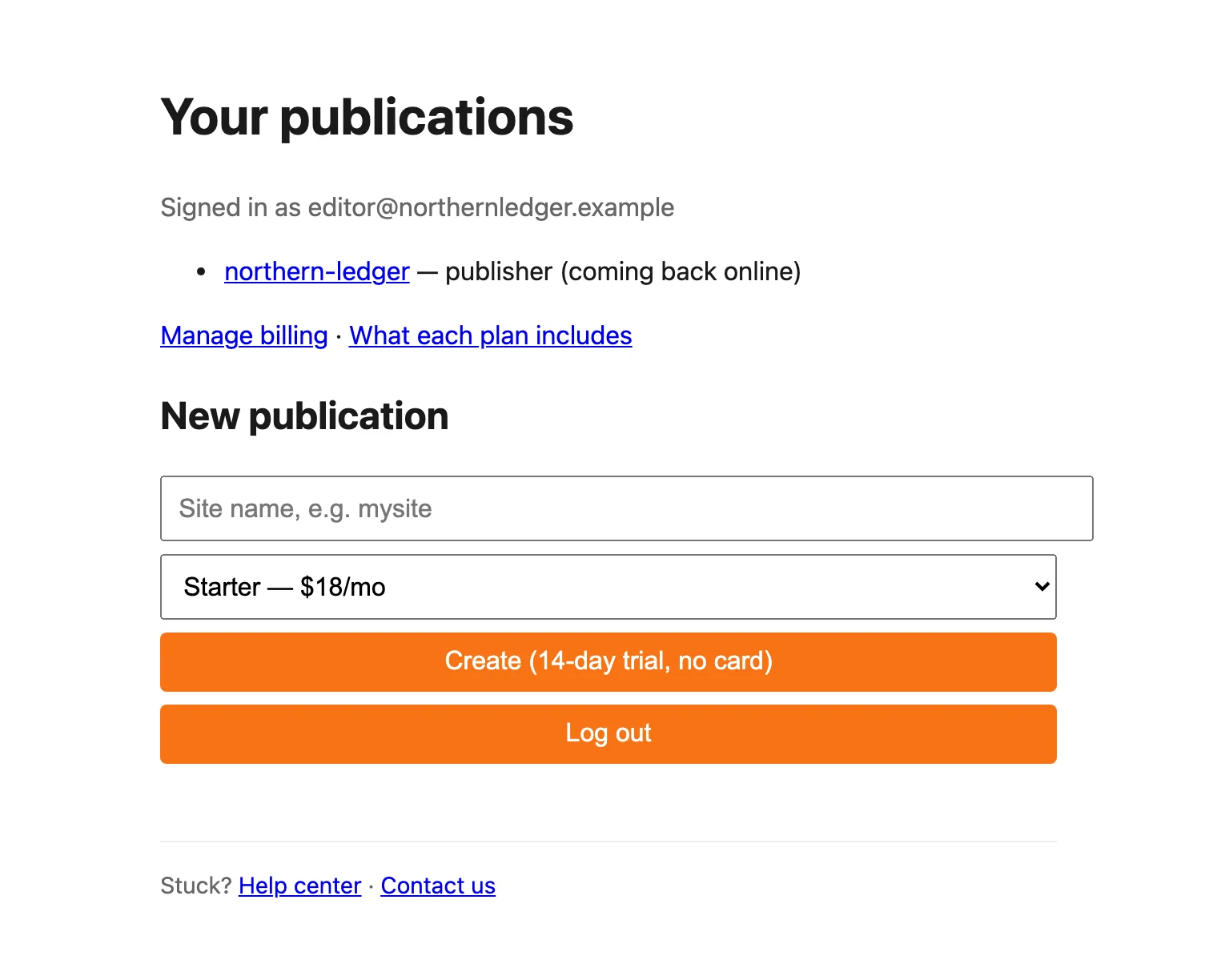
| coming back online | Payment received. We’re starting your site. | Nothing. It usually takes a minute or two. |
| coming back online — contact us if this takes more than an hour | Starting the site needs a hand from us. | Give it an hour, then contact us. |
Paused for a failed payment
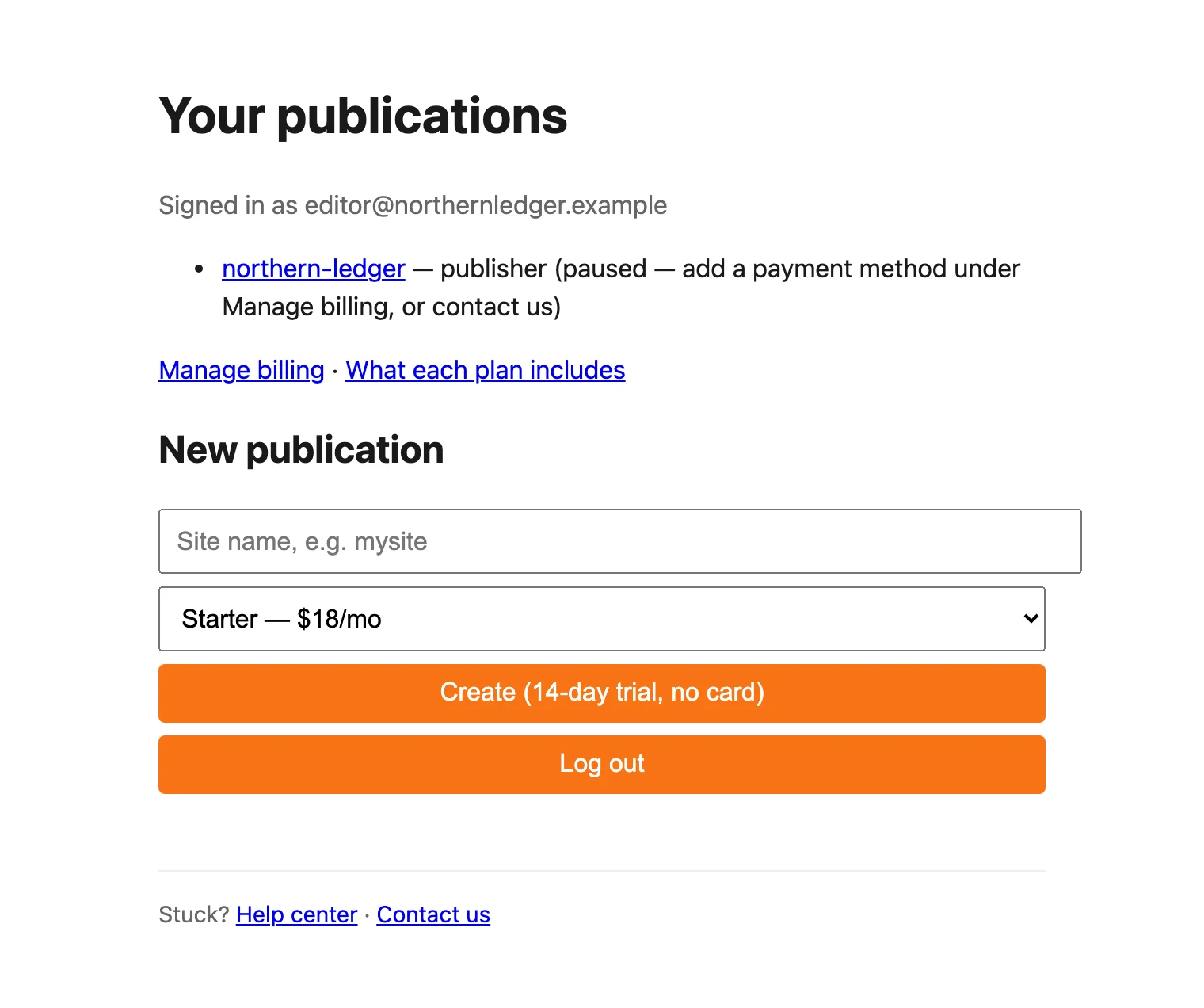
- Select Manage billing.
- Add a new card or update the one that failed.
- Pay the outstanding invoice, if the billing page shows one.
- Back in your dashboard, reload. Once the payment goes through, the site shows coming back online and then live.
If the site is still paused an hour after you’ve paid, contact us.
Paused because the subscription ended
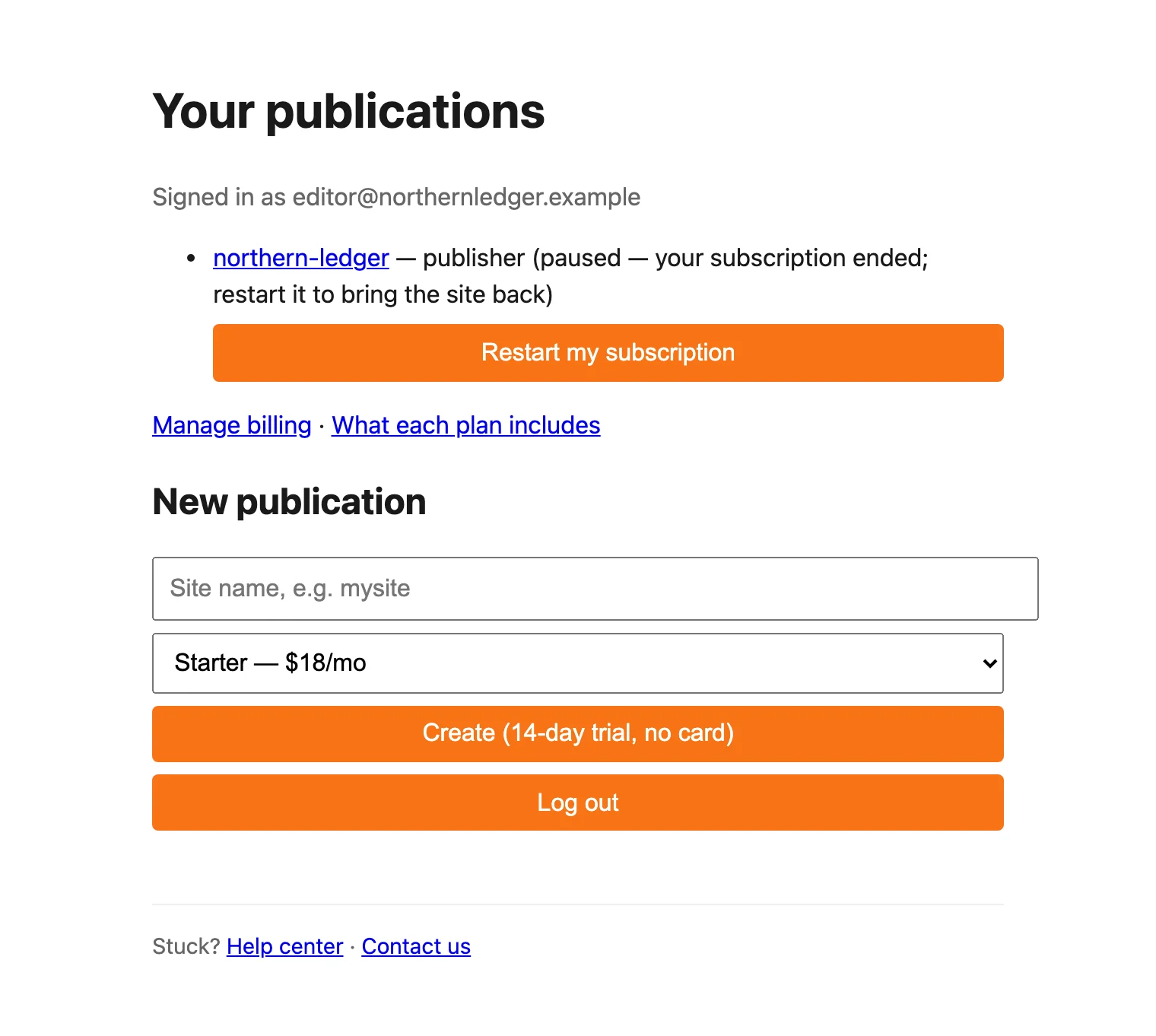
- Select Restart my subscription.
- Pay on the checkout page. It’s a new subscription on the same plan as before, paid from today, with no trial.
- You’re sent back to your dashboard. Reload after a minute or two.
Changed your mind at checkout? Leaving the page takes you back to the dashboard. Nothing is charged and the site stays paused.
Good to know
- A payment that’s late but still being retried doesn’t pause your site. It stays online while Stripe tries again.
- We don’t delete a paused site on our own. If you don’t want it back and want it deleted, see delete your account.
- Want a different plan when you come back? Contact us before restarting.
Last checked against the product on 7 November 2026.
Related
Still stuck?
Tell us what you were trying to do and what you saw, and we’ll help you sort it out.
Contact us