Where your members come from
Track how your free and paid membership grows, and find the posts and websites that bring new members in.
Who can do this: Owners and Administrators, on every plan. Paid members and revenue need Publisher or Business.
Members are the readers who’ve signed up to your site, free or paid. Blogaly keeps track of when each one joined and what they were reading at the time, so you can see not just how fast you’re growing, but why.
Your growth over time
Select Analytics in the sidebar, then the Growth tab, and pick a period at the top right.
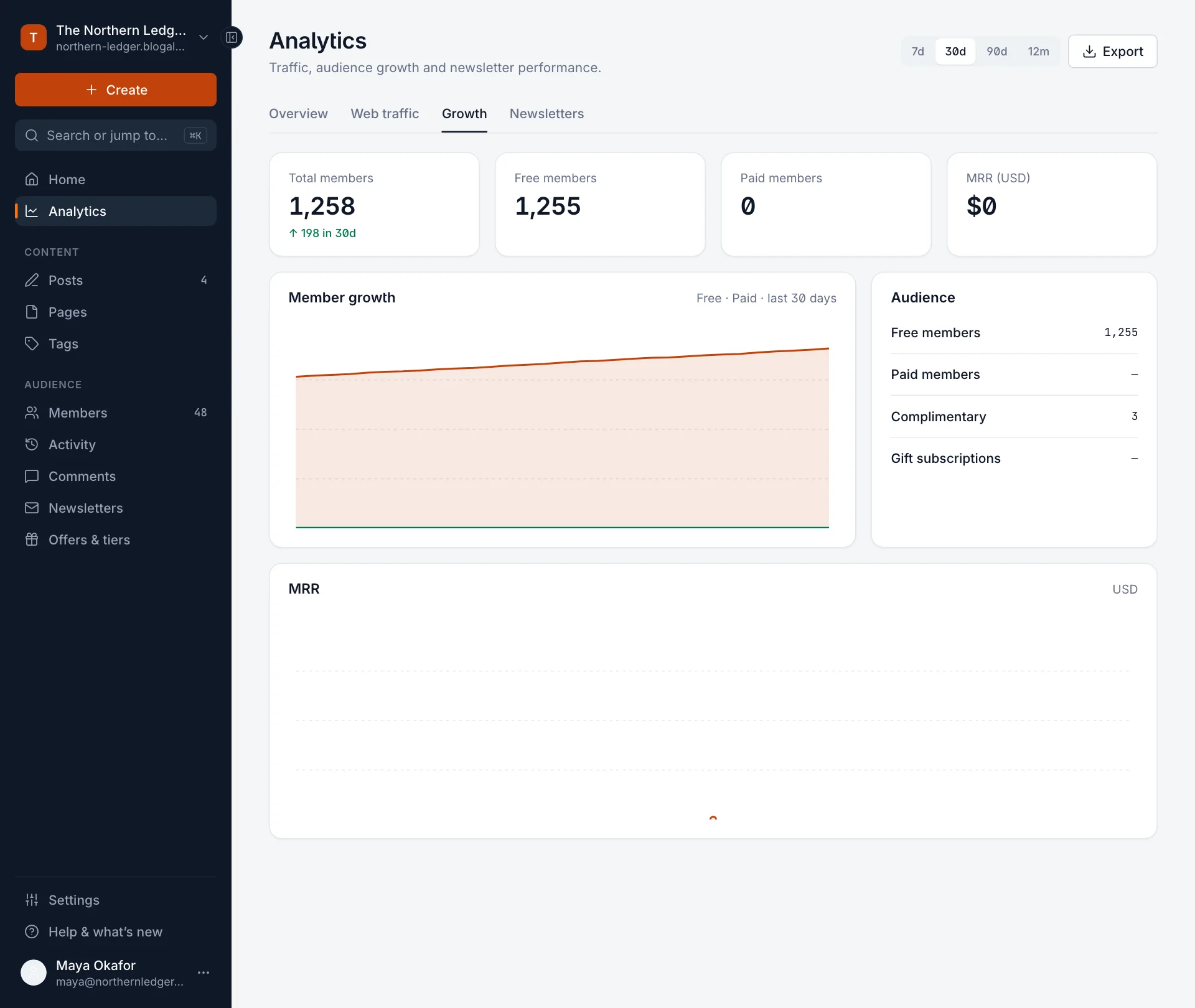
| Number or chart | Meaning |
|---|---|
| Total members | Everyone signed up today, with how many more (or fewer) than at the start of the period. |
| Free members | Members without a paid subscription. |
| Paid members | Members with an active paid subscription. |
| MRR | Monthly recurring revenue from paid subscriptions, in your main currency, with its change over the period. |
| Member growth | Free and paid members day by day. In this chart, paid includes complimentary members and gift subscriptions. |
| Audience | Today’s breakdown: free, paid, Complimentary (paid access you gave for free) and Gift subscriptions. |
Which posts bring in members
When someone signs up, Blogaly notes the post or page they were reading. That’s credited to the post, and you’ll see it in two places:
- In Posts, the Performance column shows, for example, +14 members next to each post.
- On a post’s analytics, the Growth card splits it into free and paid.
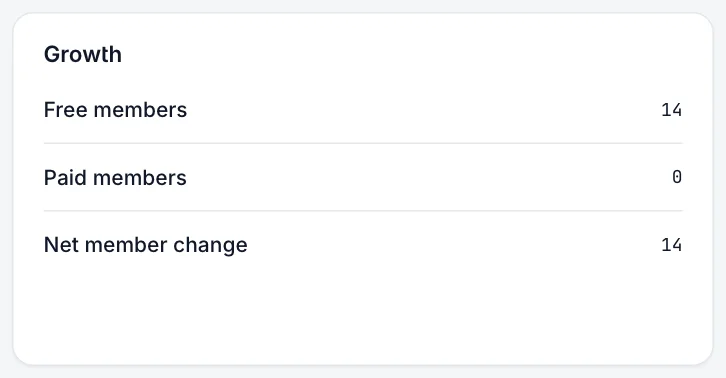
Paid members are credited to the post they were reading when they started paying, which may be a different post from the one where they first signed up for free.
Look up where a member came from
Open any member under Members. Under their name you’ll see Source (the website that sent them, such as a search engine or social network) and Page (the post or page they signed up on), when we know them.
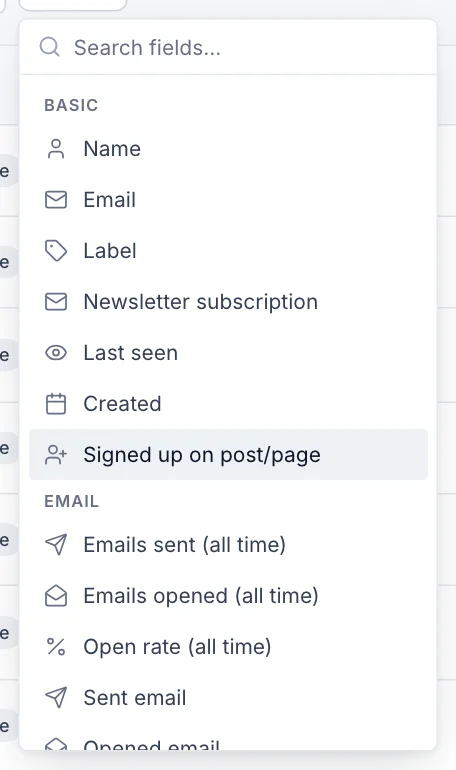
To find everyone who joined from a particular post, select Filter on the Members page and choose Signed up on post/page. For paying members, use Subscription started on post/page. You can then export the list or add a label.
Good to know
- Members you import or add yourself have no source or page.
- If someone visits from a search engine, leaves, and signs up a week later by typing your address, the source is usually unknown. Signups are credited to what we can see at the moment they join.
- To see which websites send you readers in general, not just members, look at Top sources on the Web traffic tab.
- Your plan limits how many members you can have. See plans and limits.
Last checked against the product on 7 November 2026.
Related
Still stuck?
Tell us what you were trying to do and what you saw, and we’ll help you sort it out.
Contact us