Keep old links working with redirects
Send visitors from old addresses to the right page, and change how your site’s addresses are built with a routes file.
Who can do this: Administrators and the site owner.
When a post moves, or you move your whole site to Blogaly from somewhere with a different address style, old links from search engines, social posts and other sites would otherwise end on a “page not found”. A redirect sends visitors (and search engines) from the old address to the new one automatically.
Where redirects live
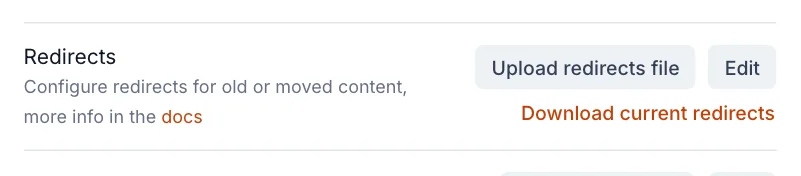
Go to Settings → Advanced → Labs and select Open. The Redirects row has three controls:
- Edit: change your redirects in the browser.
- Upload redirects file: replace them with a
redirects.yaml(or.json) file from your computer. - Download current redirects: save the rules you have now. Do this before any change, so you can put them back.
Add redirects
- Select Edit next to Redirects.
- Under
301:add one line per permanent redirect: the old address, a colon and a space, then the new address. Indent each line with two spaces. - Use
302:instead for temporary redirects you’ll remove later. - Select Save. Your redirects work straight away.
- Open one of the old addresses in a private browser window to check it lands in the right place.
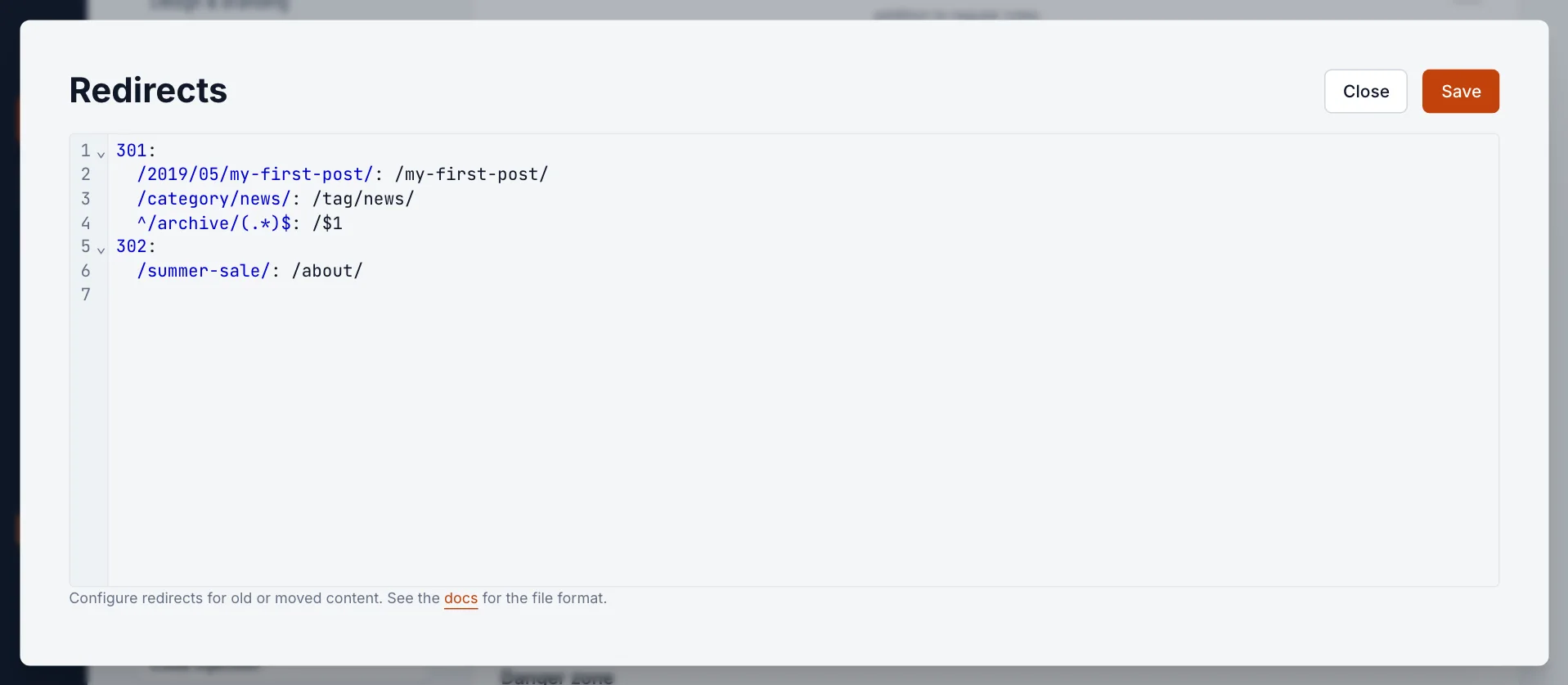
The rules in the picture, explained:
| Rule | What it does |
|---|---|
/2019/05/my-first-post/: /my-first-post/ | One old dated address to its new home. |
/category/news/: /tag/news/ | An old category page to the matching tag. |
^/archive/(.*)$: /$1 | Everything under /archive/ to the same address without it: /archive/harbour-seals/ goes to /harbour-seals/. |
/summer-sale/: /about/ (under 302) | A temporary redirect you plan to remove. |
How addresses are matched
- Start with a slash, and leave out your domain:
/old-post/, nothttps://example.com/old-post/. The new address can be a path on your site or a full address on another site. - Trailing slashes are optional.
/old-post/matches both/old-postand/old-post/. - Matching is case-sensitive. To ignore case, wrap the old address like this:
/\/Old-Post\//i. - Old addresses are patterns. Characters such as
.,(,*and?have special meanings. Start a pattern with^so it only matches from the beginning of the address, and use(.*)with$1to carry part of the old address across, as in the archive example. - Query strings come along.
/old-post/?ref=newsletterarrives at the new address with?ref=newsletterstill attached. - Redirects win. If a post or page exists at the old address, the redirect still happens, so don’t redirect an address you still use.
Common moves
| Coming from | Old address | Rule |
|---|---|---|
| Substack | /p/my-post | ^/p/([^/]+)/?$: /$1/ |
| WordPress with dated links | /2019/05/12/my-post/ | ^/\d{4}/\d{2}/\d{2}/(.*)$: /$1 |
| WordPress categories | /category/news/ | ^/category/(.*)$: /tag/$1 |
| A blog in a subfolder | /blog/my-post/ | ^/blog/(.*)$: /$1 |
Check that your imported posts kept the same slug (the last part of the address) before using a pattern. If some changed, add a one-to-one rule for each of those.
If saving fails
- YAML input is invalid: usually a missing
301:or302:heading, a missing space after a colon, or tabs instead of spaces. Each rule must be indented under its heading. - Incorrect RegEx in redirects file: an old address isn’t a valid pattern, often an unmatched bracket. Fix that line or put a backslash before the special character.
- If a line has characters YAML treats specially (
#,:,{, a leading*or?), wrap the address in single quotes:'/what-is-#1/': /number-one/.
Routes: change how addresses are built
Redirects send old addresses somewhere else. Routes decide what your addresses look like in the first place: where posts live, what your home page shows, and the addresses for tag and author pages. Most sites never need to change them.
In Labs, the Routes row works like Redirects: Edit opens your routes.yaml file in the browser, Upload routes file replaces it, and Download current routes saves a copy. Every site starts with this file:
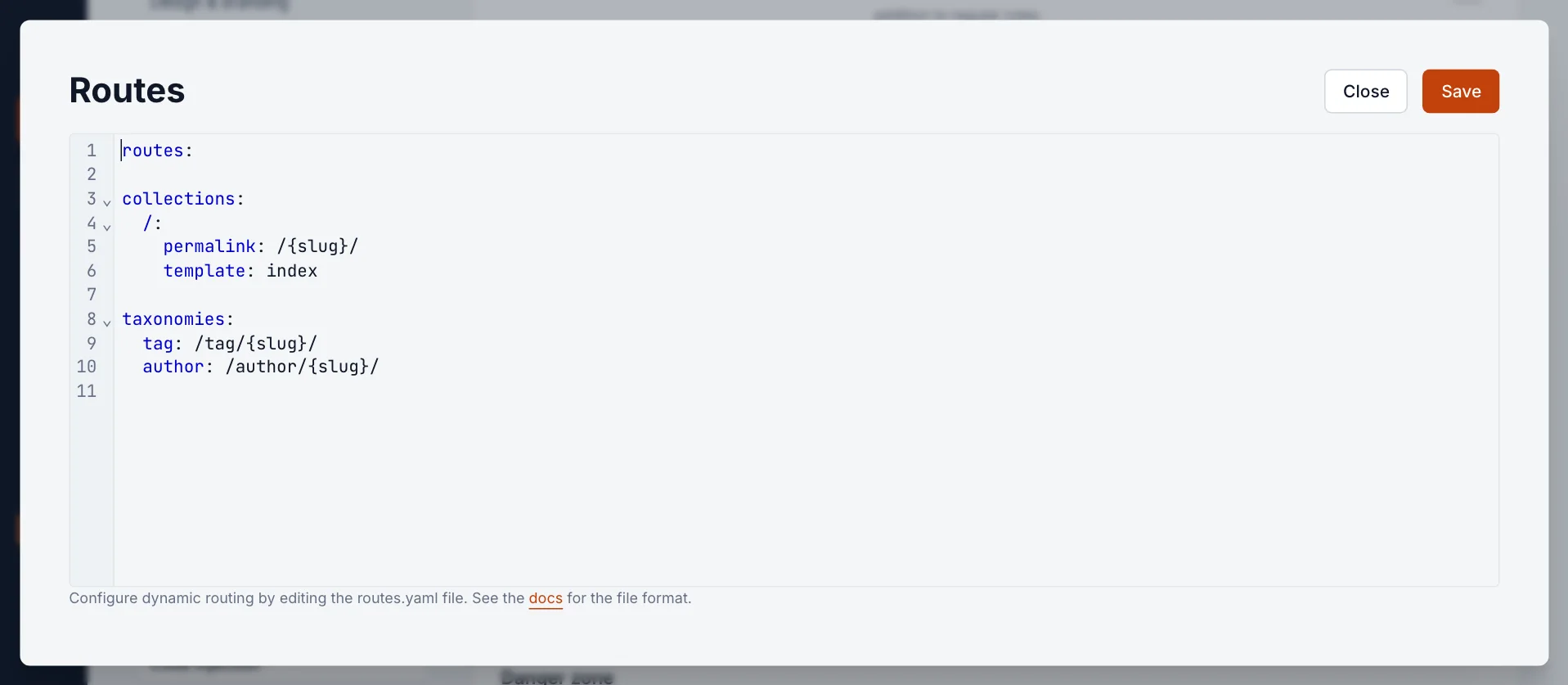
collectionssay where posts live. Changingpermalink: /{slug}/topermalink: /{year}/{month}/{slug}/puts dates in every post address, which can match an old WordPress site without any redirects.taxonomiesset the addresses for tag and author pages.routesadd extra pages that use a template from your theme, such as a custom home page.
If the file can’t be saved, the message names the problem. The usual causes are the same as for redirects: indentation, tabs, or a missing colon. Download your current routes before experimenting, so you can upload them again if something goes wrong.
Good to know
- Saving or uploading replaces all your redirects (or routes) at once. Download the current file first.
- Redirects only apply to your site’s pages. Links to your old domain only reach them once that domain is connected to Blogaly.
- Redirects and routes are included when you export your data from Labs.
- Only Administrators and the owner can see Labs.
Last checked against the product on 7 November 2026.
Related
Still stuck?
Tell us what you were trying to do and what you saw, and we’ll help you sort it out.
Contact us