Payment methods and failed payments
How readers pay, how to offer more than cards, and what happens when a renewal payment fails.
Who can do this: The site owner or an administrator, with Stripe connected (Publisher or Business plan).
Readers pay on Stripe’s secure checkout page. Card details never touch your site: Stripe stores them and charges each renewal.
Cards by default
Out of the box, subscriptions take cards only, including wallets that use a card, such as Apple Pay and Google Pay where Stripe offers them. That covers most readers and keeps renewals simple.
Offer more payment methods (beta)
You can let Stripe offer other methods that suit your readers’ country and currency, such as iDEAL, Bancontact or Cash App Pay.
- In your Stripe dashboard, open Settings → Payment methods and turn on the methods you want. Stripe shows which ones work for subscriptions.
- In your site’s admin, open Settings → Advanced → Labs and select Open.
- On Beta features, turn on Additional payment methods.
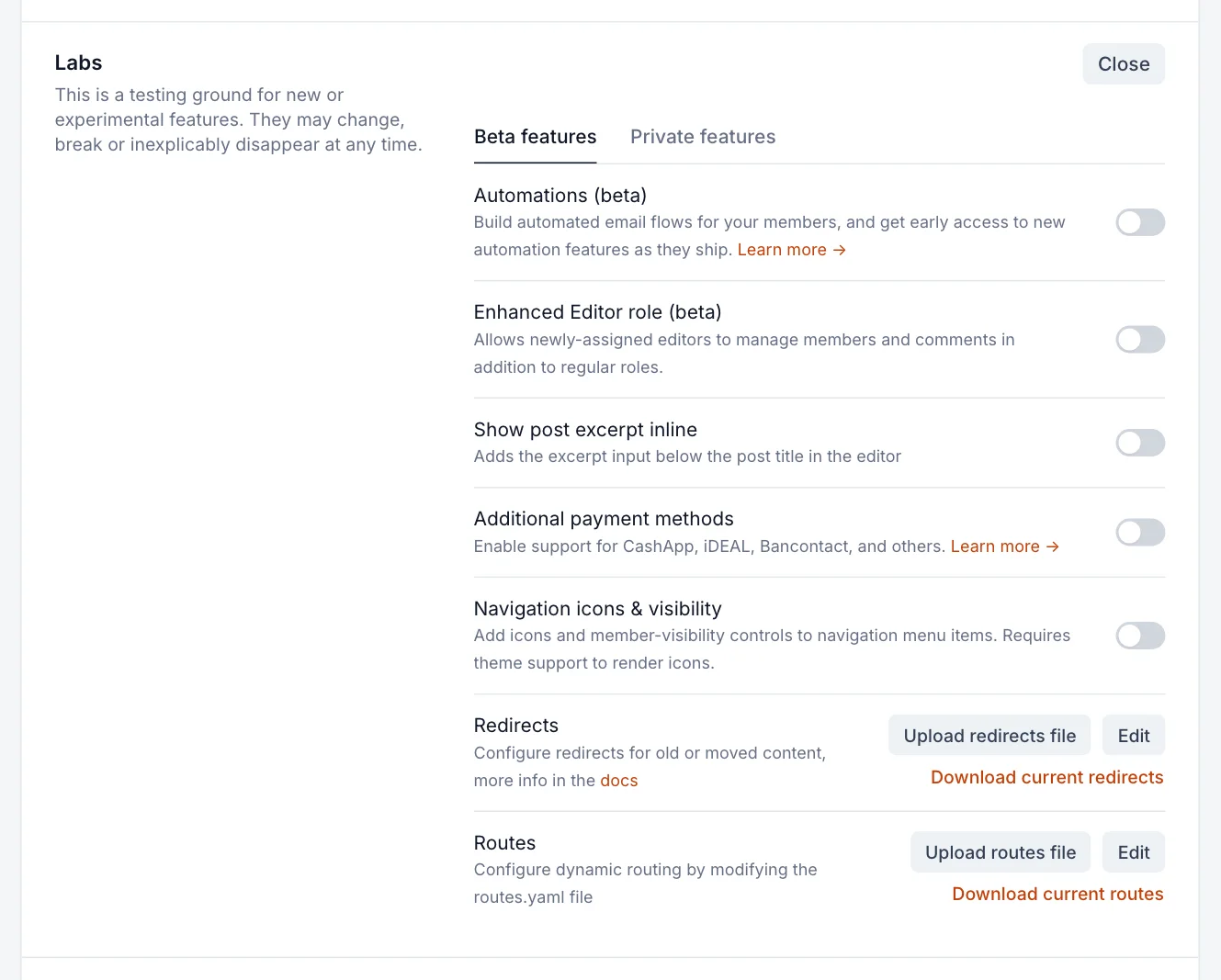
From then on, Stripe’s checkout shows the methods you turned on in Stripe that fit the reader’s location, currency and the kind of payment. Turn the switch off to go back to cards only. See beta features for what “beta” means here.
How readers update their card
- The reader opens your site, signs in and opens their account from the sign-up pop-up.
- Under Billing info & receipts (which shows the last four digits of their card), they select Update.
- Stripe’s billing page opens. There they can change their card and download past receipts.
Point readers there when they ask how to change their card or get an invoice. You can’t see or change card details from your admin.
When a renewal payment fails
Cards expire, get cancelled or run short. When a renewal is declined, Stripe handles the follow-up:
- Stripe marks the subscription past due and tries the payment again over the following days or weeks.
- The member keeps their paid access while Stripe retries. Their status in Members stays paid.
- If a retry succeeds, nothing changes for them.
- If every retry fails, Stripe cancels the subscription (or marks it unpaid, depending on your Stripe settings). Once cancelled, the member becomes a free member and keeps their account and newsletter subscriptions.
You choose how this works in your Stripe dashboard’s billing settings: how many times and over how long Stripe retries, what happens at the end, and whether Stripe emails the reader about a failed payment with a link to update their card. Turning on those emails is the single best way to keep members whose card simply expired.
Find members with payment problems
In Members, add a filter for Stripe subscription status and choose Past Due or Unpaid. You can then contact them, or open a member and use the subscription menu to select View Stripe subscription.
Good to know
- Refunds, disputes and chargebacks are handled in your Stripe dashboard. Refunding a payment doesn’t cancel the subscription; cancel it as well if that’s what you want.
- Stripe’s fees depend on the payment method. Check Stripe’s pricing before turning on extra methods.
- Some methods take a few days to confirm. The reader gets access once Stripe confirms the payment.
Last checked against the product on 7 November 2026.
Related
Still stuck?
Tell us what you were trying to do and what you saw, and we’ll help you sort it out.
Contact us