Disabled email addresses
When an address bounces or marks your email as spam, Blogaly stops sending to it. How to spot these members and when to re-enable them.
Who can do this: Administrators, in Members. Readers can also re-enable their own email.
To protect your delivery, we stop emailing an address automatically when either of these happens:
- It bounced permanently. The address doesn’t exist, or the mailbox is closed. Temporary problems, like a full inbox, don’t count.
- The reader marked an email as spam. We take that as a clear “stop”.
The member stays on your list with their subscriptions as they were. They just aren’t sent newsletters until email is re-enabled, and they aren’t counted in a newsletter’s Subscribers total.
How to spot a disabled address
Open the member in Members. Under Newsletters you’ll see Email disabled., the reason and the date.
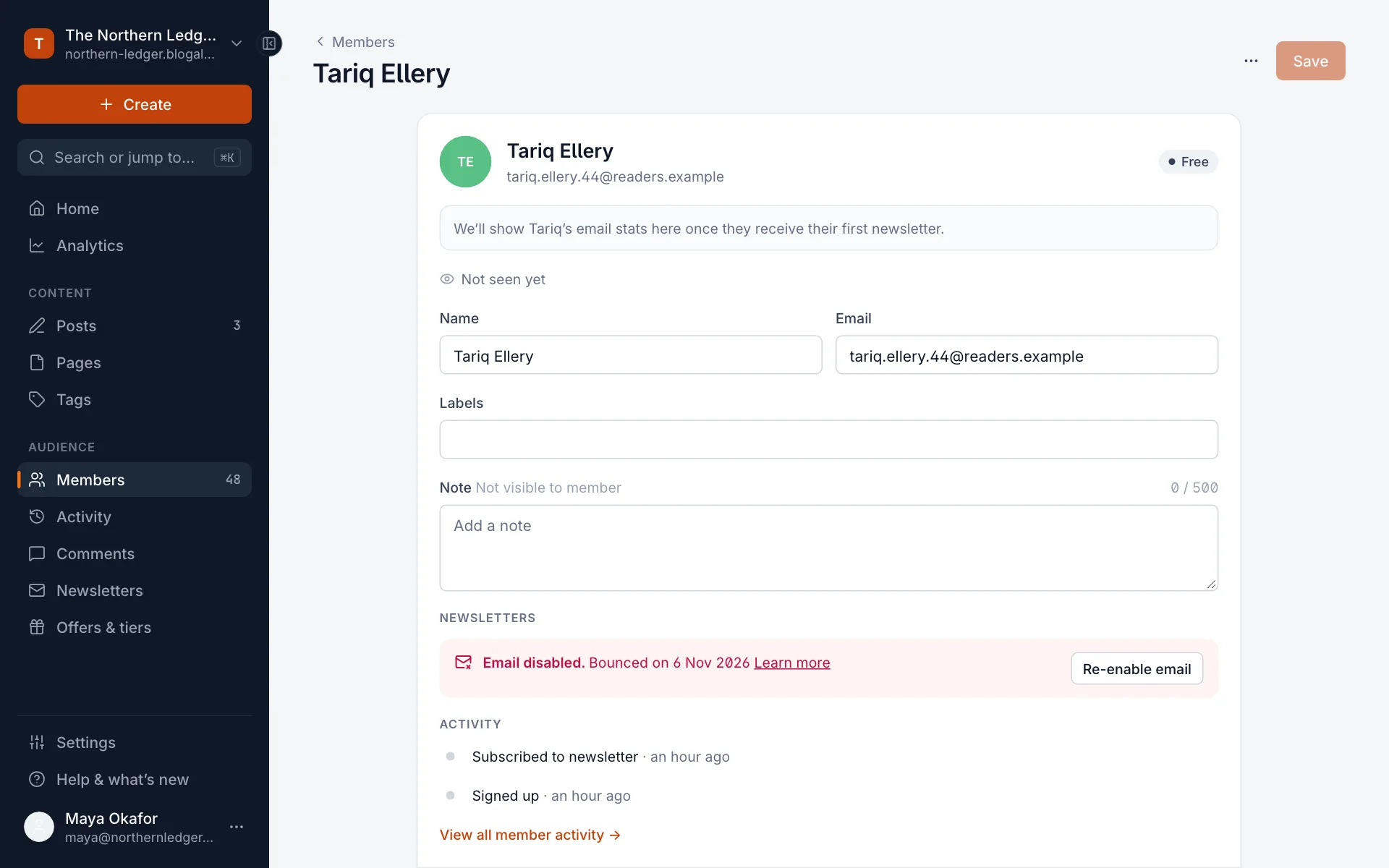
| The notice says | What happened |
|---|---|
| Bounced on a date | A newsletter to this address failed permanently. |
| Flagged as spam on a date | The reader marked one of your emails as spam. |
| Email disabled on a date | Sending was stopped for another reason. |
To see them all, filter the member list: Filter → Newsletter subscription → Email disabled (with more than one newsletter, the field is called All newsletters). See Find, filter, label and export members.
Re-enable email
Only re-enable an address when you have a reason to think it works now: the reader contacted you, or you’ve corrected a typo in the address.
- If the address was mistyped, correct it in Email on the member’s profile and select Save.
- Under Newsletters, select Re-enable email.
- The notice disappears and the member gets your next newsletter.

What the reader sees
When a member with disabled email opens their account on your site, they see Emails disabled with a short explanation and a Re-enable emails button. They can turn email back on themselves, and a help page explains spam complaints and bounces. Point readers there if they ask why your newsletter stopped.
Good to know
- A handful of bounces is normal, especially after importing an older list. A lot of them is a sign the list needs cleaning. See How delivery works.
- Disabled addresses still count towards your plan’s member limit. Delete members you’re sure are gone for good.
Last checked against the product on 7 November 2026.
Related
Still stuck?
Tell us what you were trying to do and what you saw, and we’ll help you sort it out.
Contact us