Connect your own domain
Point a domain you own at your Blogaly site from your dashboard. HTTPS is set up for you.
Who can do this: The account owner, in the dashboard. Works on every plan once your site is live.
Your site starts at your-name.blogaly.uk. You can also serve it from a domain you own, such as example.com or news.example.com. You add two DNS records where you bought the domain, we check them, and your site starts answering at your domain with HTTPS on. Certificates renew on their own.
You’ll need to be able to log in to your DNS provider: usually the company you bought the domain from, or a service like Cloudflare if you moved it there.
1. Add the domain in your dashboard
- Log in at dash.blogaly.com.
- Next to your site, select Custom domain.
- Type the domain you want to use, for example
news.example.comorexample.com, and select Continue.
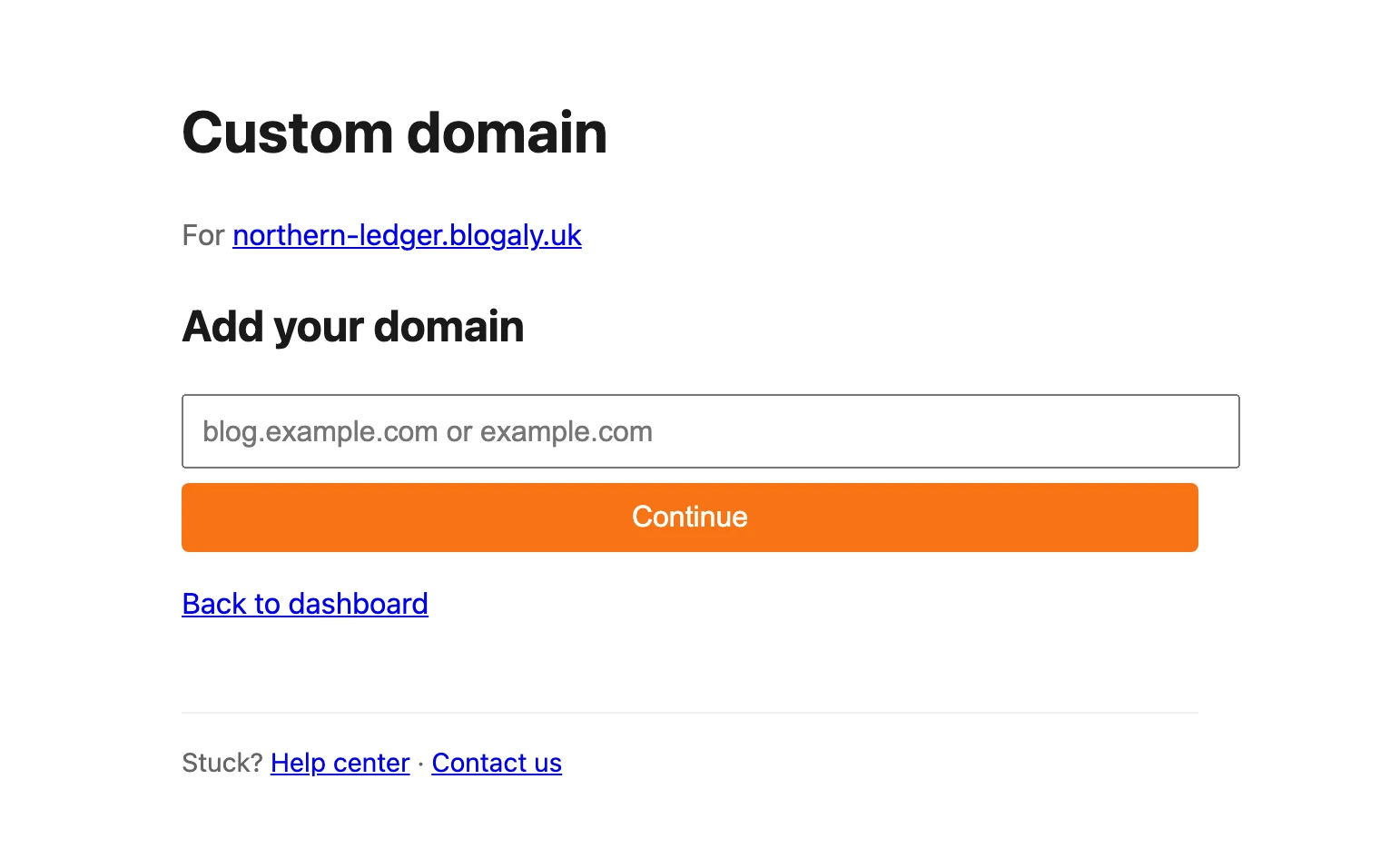
2. Add the DNS records
The dashboard now shows the records to add. Keep this page open and add them at your DNS provider. Copy the values from your dashboard: they are unique to your site, and the ones in the picture below are examples.
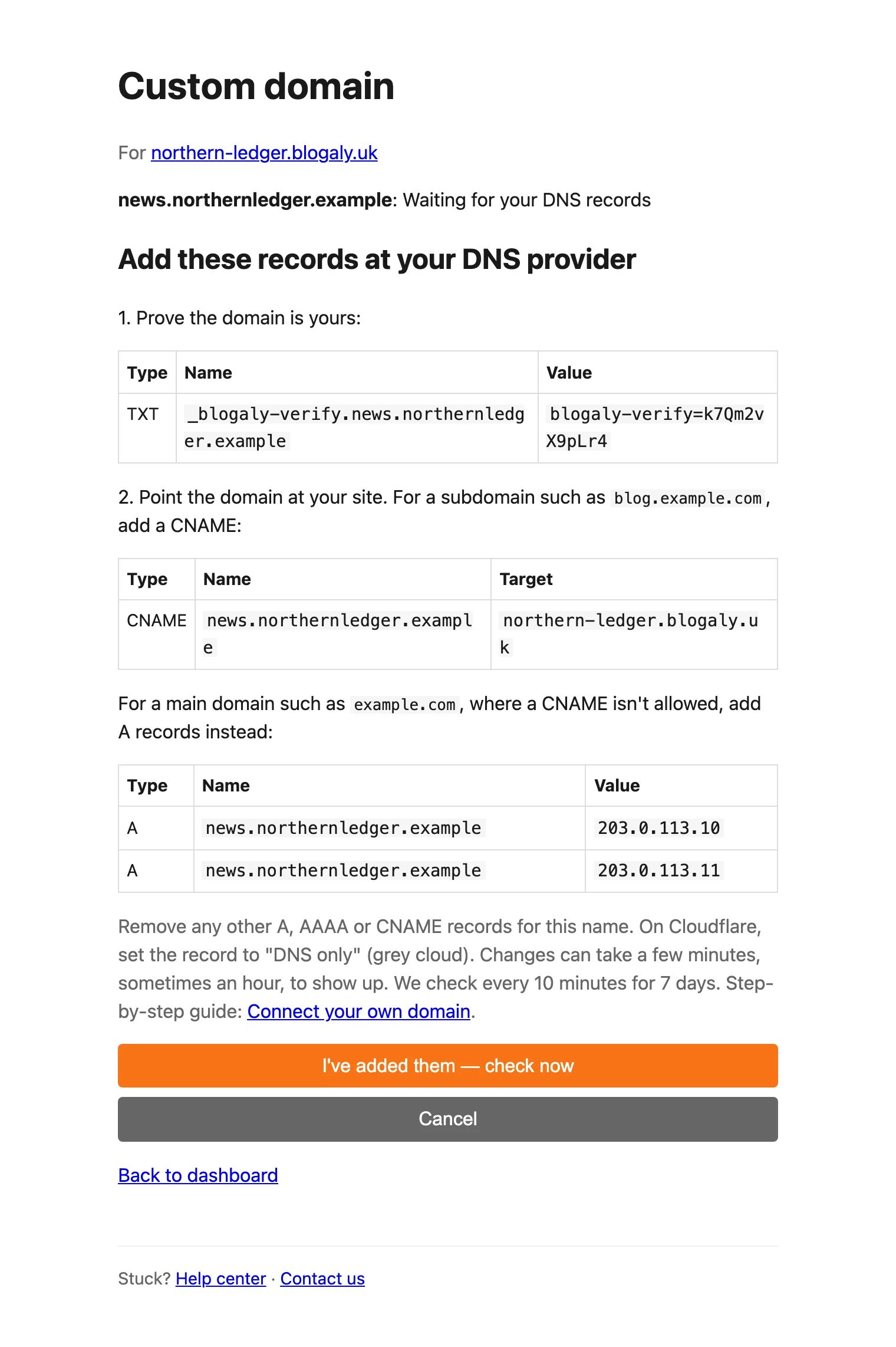
| Record | What it does | When to add it |
|---|---|---|
TXT _blogaly-verify… | Proves the domain is yours | Always |
CNAME → your-name.blogaly.uk | Sends visitors to your site | For a subdomain, like news.example.com |
| A records | Same, for domains that can’t use a CNAME | For a main domain, like example.com |
Then remove any other A, AAAA or CNAME records for the same name. Old records pointing elsewhere are the most common reason a domain won’t connect.
3. Let us check
Select I’ve added them — check now. New records can take a few minutes to show up, sometimes an hour. If they aren’t visible yet, you don’t need to keep checking: we look every 10 minutes for 7 days and carry on as soon as they appear.
Once the records are found, the page moves through these steps:
| Status | What it means |
|---|---|
| Waiting for your DNS records | We haven’t seen the records yet. |
| DNS checked. Connecting your domain… | Records found. Setting the domain up. |
| Connecting your domain and getting its HTTPS certificate… | Almost there. Usually a minute or two. |
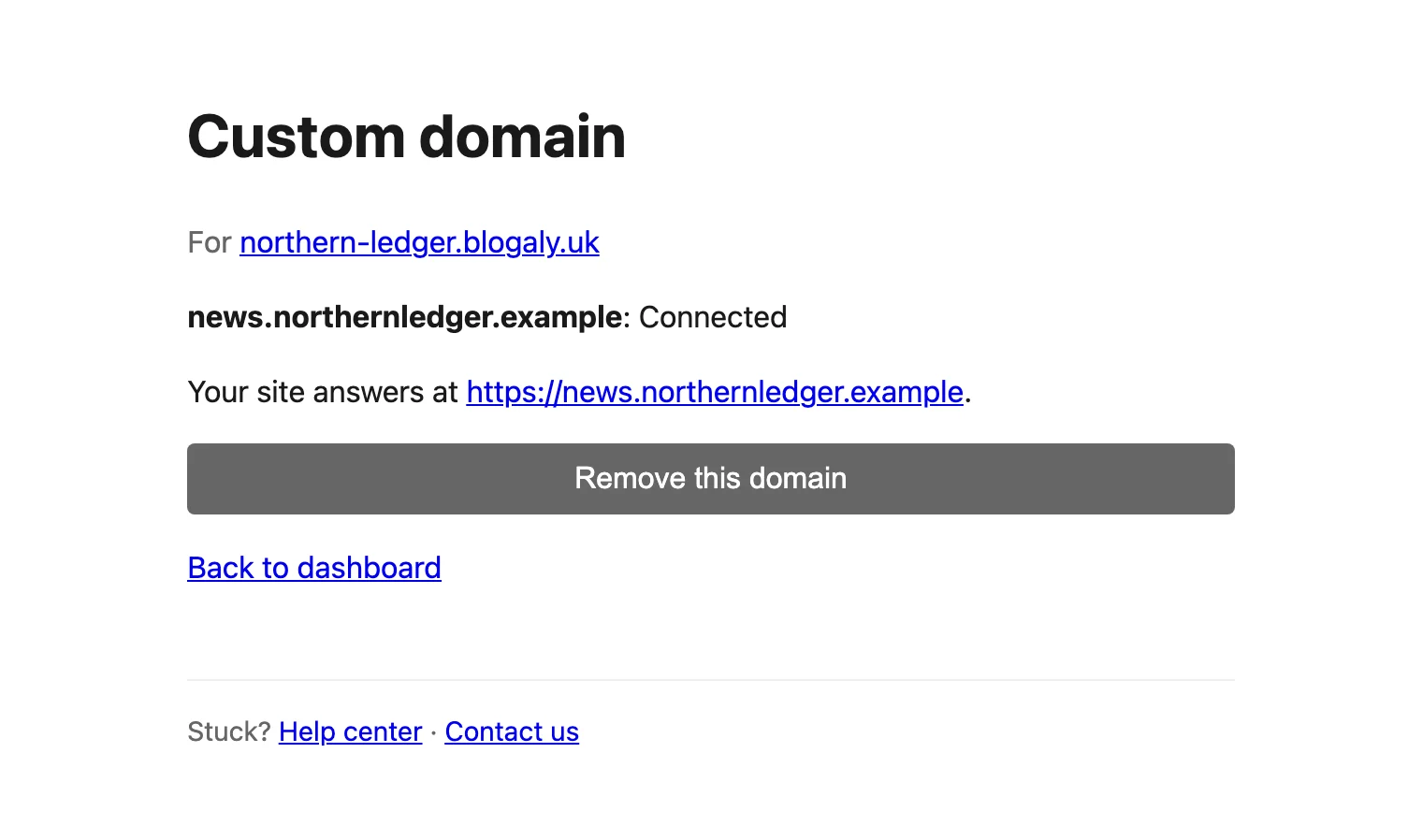
| Connected | Done. Your site answers at your domain. |
| Expired | The records weren’t found within 7 days. Add the domain again to get a fresh set. |
Good to know
- For now, your site keeps
your-name.blogaly.ukas its main address. Your domain shows the same site, but links your site creates itself (in newsletters, your RSS feed and the address search engines are told to use) still point toyour-name.blogaly.uk, and visitors to that address aren’t redirected to your domain. Both addresses keep working. - Each site uses one custom domain at a time. To switch, remove the current one first. Remove this domain takes effect straight away, without asking you to confirm.
- Your site needs to be live. You won’t see Custom domain while it’s being created or while it’s paused.
- If we say the domain is already connected to another Blogaly site and it’s yours, contact us.
- Stuck? See My domain isn’t connecting.
Last checked against the product on 7 November 2026.
Related
Still stuck?
Tell us what you were trying to do and what you saw, and we’ll help you sort it out.
Contact us