Turn on reader comments
Let members discuss your posts, choose who can comment, and moderate the conversation from your admin.
Who can do this: Owners and Administrators choose who can comment. Owners, Administrators and Super Editors can moderate.
Comments let your readers talk to you and to each other under each post. Only members can comment, which keeps out anonymous spam: every comment comes from a real email address that signed up to your site. Anyone can read the comments.
Choose who can comment
- Go to Settings → Access.
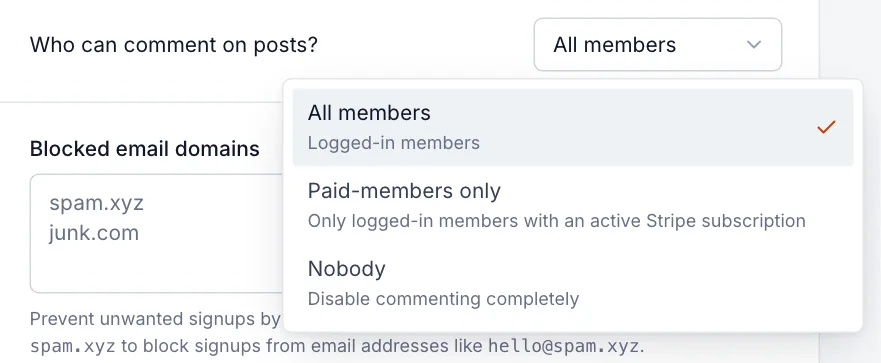
- Next to Who can comment on posts?, choose All members, Paid-members only or Nobody.
- Select Save.
| Setting | What happens |
|---|---|
| All members | Any signed-in member, free or paid, can comment. New sites start here. |
| Paid-members only | Only paying members can comment. Others can read the comments and are invited to upgrade. Needs Stripe, on the Publisher and Business plans. |
| Nobody | Comments are turned off everywhere and the comment section disappears from your posts. |
Comments also need members: if Who should be able to subscribe to your site? is set to Nobody, there’s no one to comment. See members: free and paid readers.
What readers see
At the end of each post, your theme shows the discussion. Signed-in members can write a comment, reply to others, like a comment, and report one they think breaks the rules. Visitors who aren’t signed in see the comments and an invitation to sign up or sign in to join in. The first time a member comments, they’re asked for the name to show next to it.
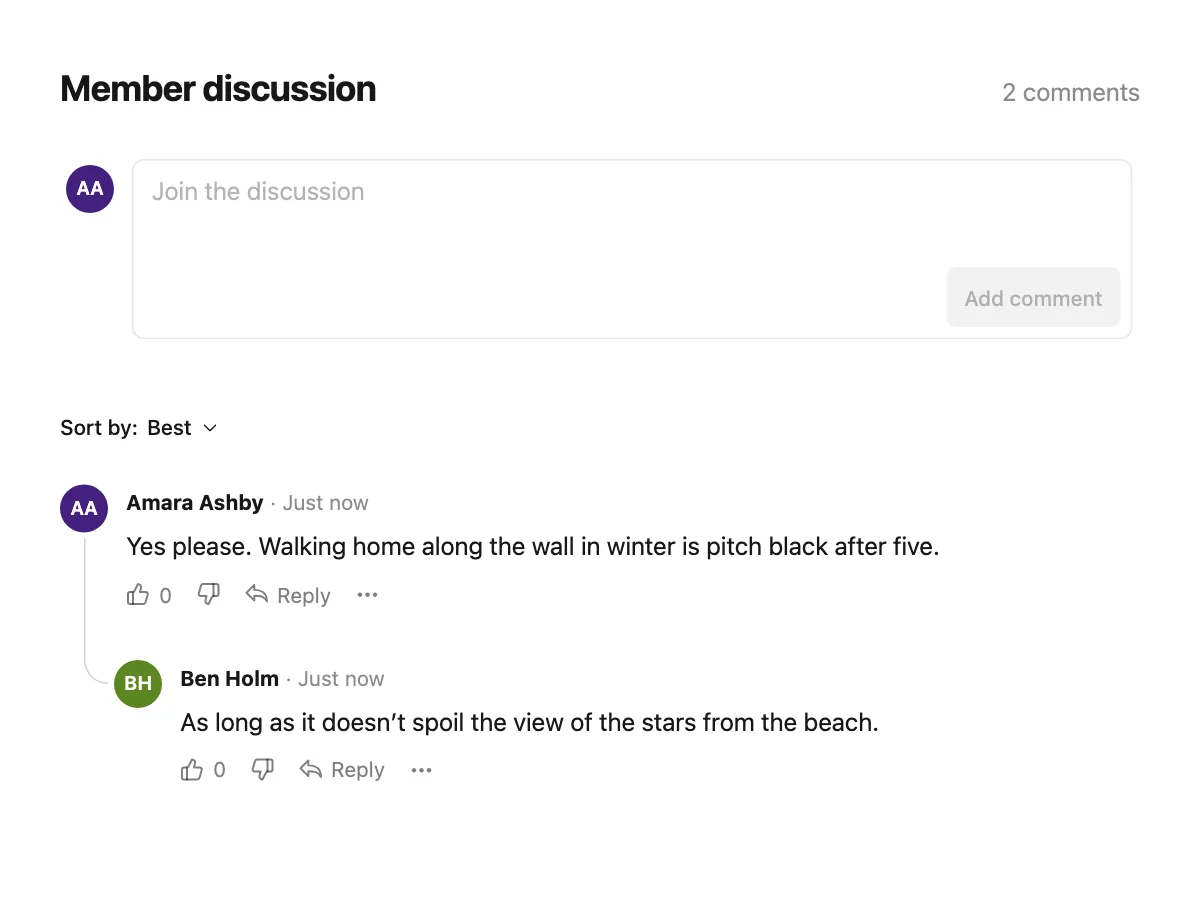
You and your staff can join in too: sign in to your own site as a member with your staff email address and comment like anyone else. Readers can sort comments by Best, Newest or Oldest.
Moderate comments
Select Comments in the sidebar to see every comment across your site, newest first. The tabs show All, Reported (comments readers have flagged) and Hidden. Search the text, or filter by Post, Author or Date.
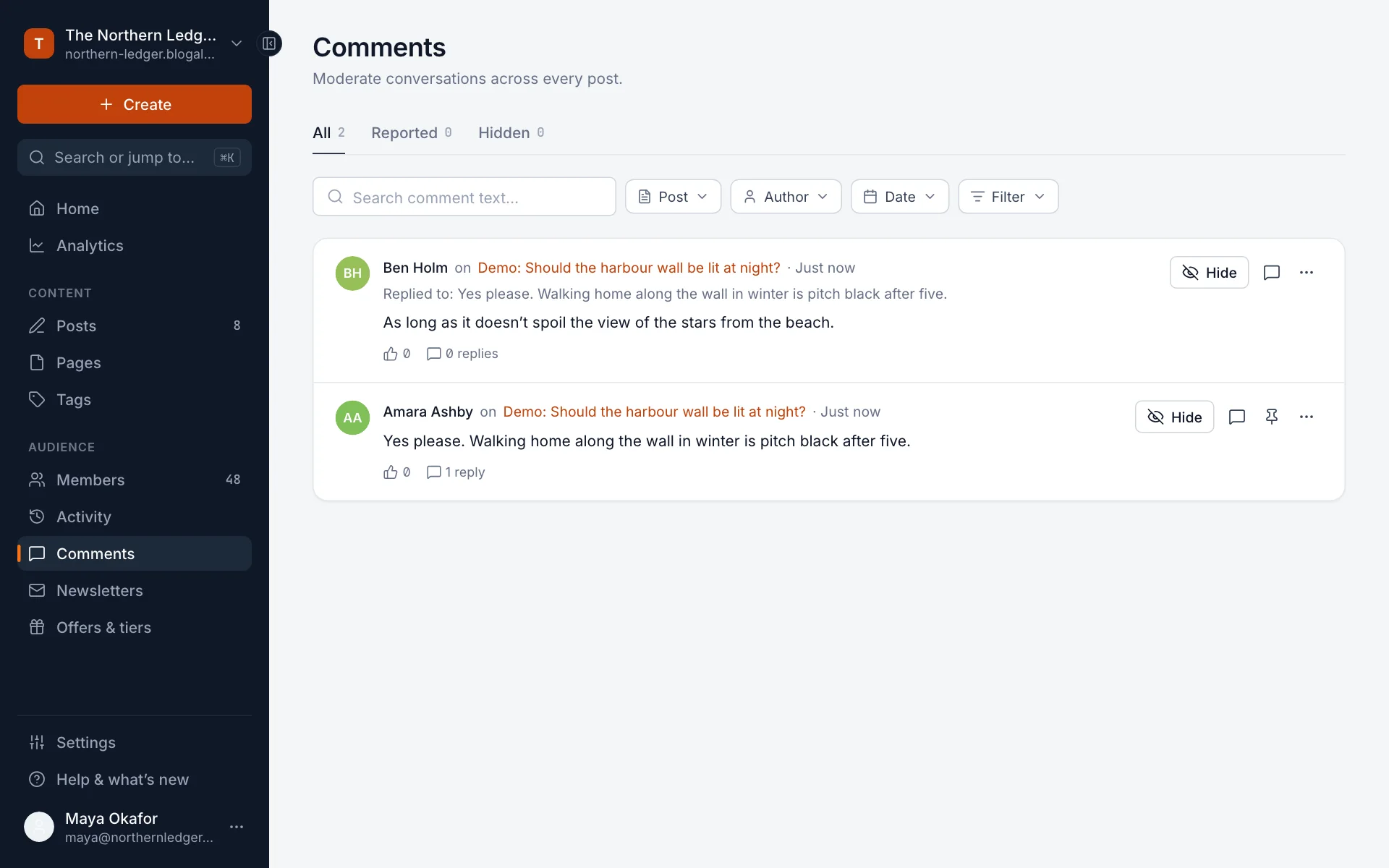
- Hide removes a comment from your site straight away. It moves to the Hidden tab, where Show puts it back.
- Reply (the speech-bubble button) opens the thread so you can answer from the admin.
- Pin comment keeps a top-level comment at the top of the discussion, for example your own note or the best answer.
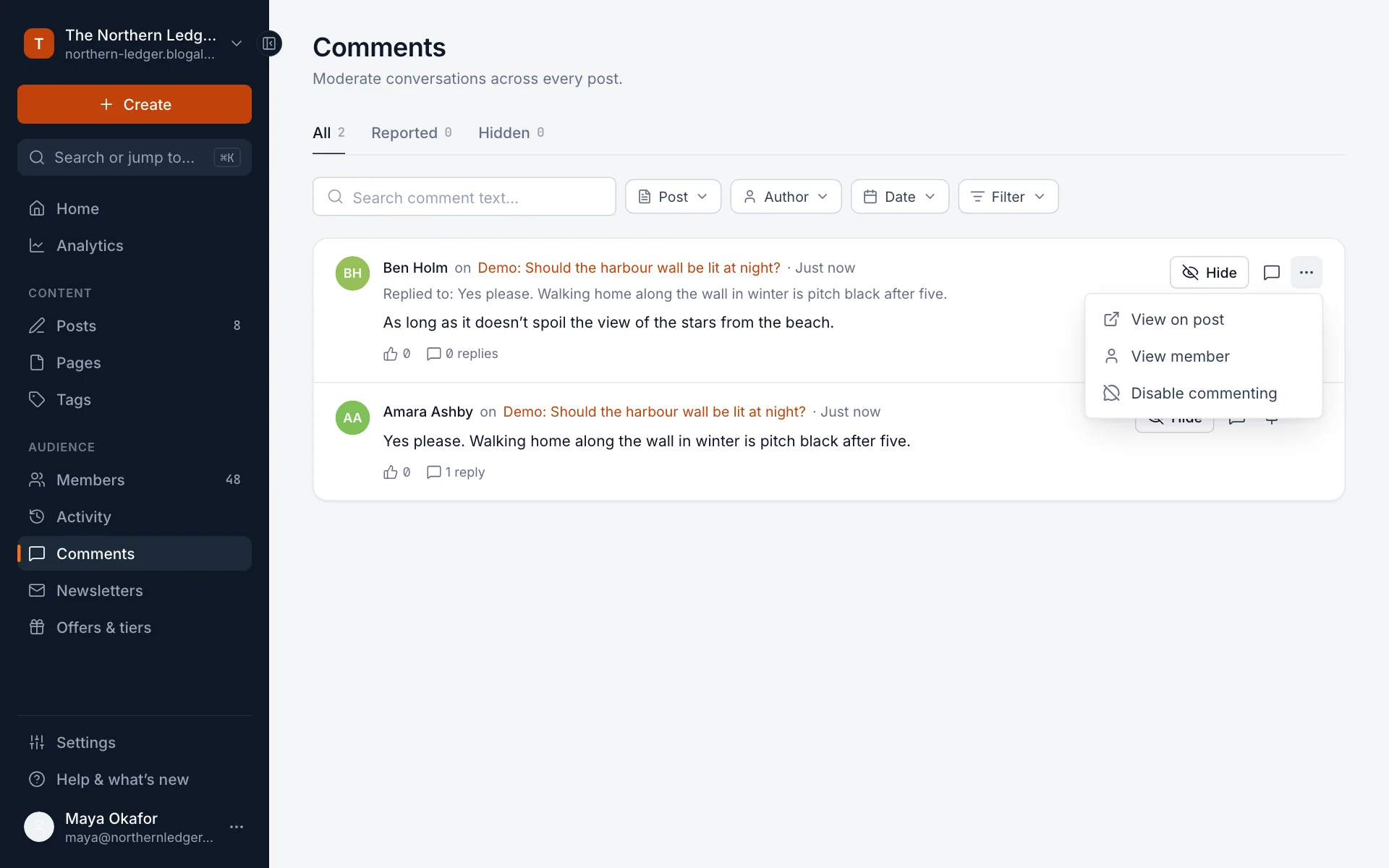
- The … menu has View on post, View member, and Disable commenting, which stops that member commenting in future. You can also hide everything they’ve written before. Enable commenting in the same menu lets them back in.
Good to know
- Where comments appear is up to your theme. The themes included with Blogaly show them at the end of posts.
- Turning comments off with Nobody hides the section but doesn’t delete anything. Turn them back on and existing comments return.
- Deleting a post also deletes its comments.
- Blocked email domains under Settings → Spam filters stop unwanted signups, which also keeps spam out of your comments.
- Comments aren’t included in newsletters. Email readers follow the link to the post to join in.
Last checked against the product on 7 November 2026.
Related
Still stuck?
Tell us what you were trying to do and what you saw, and we’ll help you sort it out.
Contact us